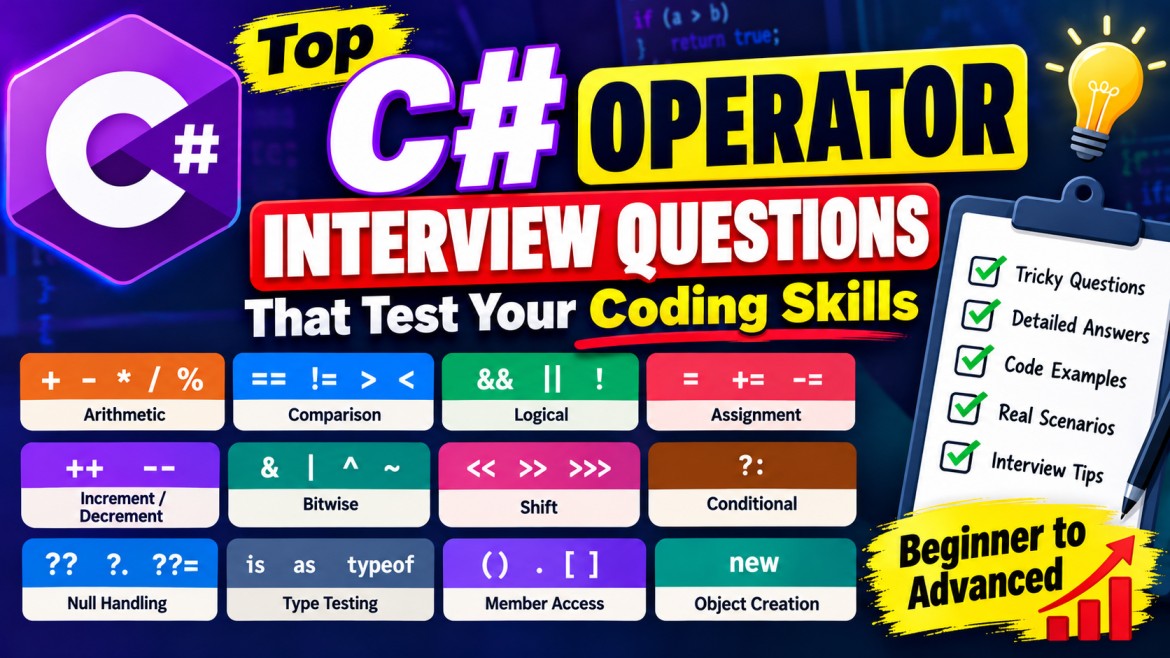


C# Operators – Detailed Interview Questions and Answers
These interview questions cover C# operators from basic to advanced, including practical examples, common mistakes, and real-world scenarios.
Section 1: Basic Operator Concepts
1. What is an operator in C#? What are the different types?
An operator is a symbol or keyword that performs an operation on one or more operands.
Major operator categories:
-
Arithmetic:
+,-,*,/,% -
Comparison:
==,!=,>,<,>=,<= -
Logical:
&&,||,! -
Assignment:
=,+=,-=,*= -
Bitwise:
&,|,^,~ -
Conditional:
?: -
Null handling:
??,?.,??= -
Type testing:
is,as
Example:
int a = 10;
int b = 20;

int sum = a + b;
bool isGreater = a > b;

Console.WriteLine(sum);       // 30
Console.WriteLine(isGreater); // False
Interview Key Point: Operators can be classified by their purpose or by the number of operands: unary, binary, and ternary.
2. What is the difference between unary, binary, and ternary operators?
|
Type |
Description |
Example |
|---|---|---|
|
Unary |
Works with one operand |
|
|
Binary |
Works with two operands |
|
|
Ternary |
Works with three operands |
|
int a = 10;
int b = 20;

Console.WriteLine(-a);              // -10
Console.WriteLine(a + b);           // 30
Console.WriteLine(a > b ? a : b);   // 20
Interview Key Point: The conditional operator ?: is C#'s only operator that takes three operands.
Section 2: Comparison and Equality Operators
3. What is the difference between ==, Equals(), and ReferenceEquals()?
These three mechanisms are used to compare values or objects, but they have different semantics.
|
Feature |
|
|
|
|---|---|---|---|
|
Type |
Operator |
Method |
Static method |
|
Purpose |
Equality comparison |
Logical equality |
Reference identity |
|
Customizable |
Can overload |
Can override |
Cannot override |
|
Typical use |
Values and strings |
Object value equality |
Same object instance |
Example:
string a = new string("Hello".ToCharArray());
string b = new string("Hello".ToCharArray());

Console.WriteLine(a == b);                     // True
Console.WriteLine(a.Equals(b));                // True
Console.WriteLine(object.ReferenceEquals(a,b)); // False
Explanation:
-
==compares the contents becausestringoverloads the operator. -
Equals()compares string contents. -
ReferenceEquals()checks whether both references point to the same object.
Interview Key Point: Two objects can have equal values without being the same instance.
4. What is the difference between value equality and reference equality?
Value equality means two objects contain equivalent values.
Reference equality means two variables refer to the exact same object in memory.
class Employee
{
    public int Id { get; set; }
}

Employee e1 = new Employee { Id = 10 };
Employee e2 = new Employee { Id = 10 };
Employee e3 = e1;

Console.WriteLine(e1 == e2); // False
Console.WriteLine(e1 == e3); // True
Even though e1 and e2 have the same Id, they are different objects.
Real-world scenario: When comparing two employee records by employee ID, implement appropriate value equality rather than relying on reference equality.
5. Can we overload the == operator in C#?
Yes. C# supports operator overloading for user-defined types.
class Employee
{
    public int Id { get; set; }

    public static bool operator ==(Employee? a, Employee? b)
    {
        if (ReferenceEquals(a, b)) return true;
        if (a is null || b is null) return false;

        return a.Id == b.Id;
    }

    public static bool operator !=(Employee? a, Employee? b)
        => !(a == b);

    public override bool Equals(object? obj)
        => obj is Employee other && Id == other.Id;

    public override int GetHashCode()
        => Id.GetHashCode();
}
Explanation: Two different Employee instances with the same ID are now considered equal by ==.
Interview Key Point: When overloading ==, overload != as well. Override Equals() and GetHashCode() consistently to preserve equality behavior.
Section 3: Logical and Bitwise Operators
6. What is short-circuit evaluation in C#?
Short-circuit evaluation means the second expression is evaluated only when necessary to determine the result.
-
&&skips the second expression when the first isfalse. -
||skips the second expression when the first istrue.
string? name = null;

if (name != null && name.Length > 5)
{
    Console.WriteLine("Valid");
}
Because name != null is false, name.Length is not evaluated.
Real-world scenario: Checking whether an object exists before accessing its properties.
Interview Key Point: Short-circuit evaluation improves safety and can avoid unnecessary work.
7. What is the difference between && and &?
&& performs conditional logical AND, while & performs non-short-circuit Boolean AND or bitwise AND.
bool First()
{
    Console.WriteLine("First");
    return false;
}

bool Second()
{
    Console.WriteLine("Second");
    return true;
}

bool a = First() && Second();
// Prints: First

bool b = First() & Second();
// Prints: First, Second
Interview Key Point: Use && for most Boolean conditions. Use & when bitwise behavior or evaluation of both Boolean operands is intended.
8. What is the difference between || and |?
|| performs short-circuit logical OR. | evaluates both Boolean operands or performs bitwise OR on integral operands.
bool a = true;
bool b = false;

Console.WriteLine(a || b); // True
Console.WriteLine(a | b);  // True
Although both return true, their evaluation behavior differs when the operands are expressions with side effects.
9. What is the difference between &, |, and ^?
These operators can perform bitwise operations.
int a = 5; // 0101
int b = 3; // 0011

Console.WriteLine(a & b); // 1
Console.WriteLine(a | b); // 7
Console.WriteLine(a ^ b); // 6|
Operator |
Behavior |
|---|---|
|
|
Bit is 1 only when both bits are 1 |
|
|
Bit is 1 when at least one bit is 1 |
|
|
Bit is 1 when the bits differ |
Real-world scenario: Bitwise operators are useful for flags, permissions, and low-level data manipulation.
Section 4: Null Handling Operators
10. What is the difference between ??, ?., and ??=?
|
Operator |
Purpose |
|---|---|
|
|
Returns a fallback when the left operand is null |
|
|
Safely accesses a member |
|
|
Assigns a value only when the left operand is null |
string? name = null;

// Null-coalescing
string displayName = name ?? "Guest";

// Null-conditional
int? length = name?.Length;

// Null-coalescing assignment
name ??= "Benazir";

Console.WriteLine(displayName); // Guest
Console.WriteLine(length);      // Blank (null)
Console.WriteLine(name);        // Benazir
Interview Key Point: These operators reduce explicit null checks and make nullable code easier to read.
11. What is the difference between ?? and the ternary operator ?:?
?? checks specifically for null, whereas ?: evaluates any Boolean condition.
string? name = null;

string a = name ?? "Guest";

string b = name != null ? name : "Guest";
Both produce "Guest".
However, the ternary operator supports more complex conditions:
int age = 20;

string result = age >= 18 ? "Adult" : "Minor";
Interview Key Point: Use ?? for null fallback and ?: for general conditional expressions.
12. What happens when multiple null-coalescing operators are used?
The ?? operator is right-associative.
string? first = null;
string? second = null;
string third = "Default";

string result = first ?? second ?? third;

Console.WriteLine(result); // Default
The expression is grouped as:
first ?? (second ?? third)Real-world scenario: Selecting configuration values from user settings, application settings, and defaults.
Section 5: Increment, Assignment, and Arithmetic
13. What is the difference between ++a and a++?
Both increase a variable by one, but return different values.
int a = 10;
int b = 10;

int x = ++a;
int y = b++;

Console.WriteLine(x); // 11
Console.WriteLine(y); // 10
Console.WriteLine(a); // 11
Console.WriteLine(b); // 11
Interview Key Point: Pre-increment returns the updated value. Post-increment returns the original value.
14. What is the difference between / and %?
/ performs division, while % calculates the remainder.
int a = 10;
int b = 3;

Console.WriteLine(a / b); // 3
Console.WriteLine(a % b); // 1
When both operands are integers, / performs integer division.
Real-world scenario: % is commonly used to determine whether a number is even or odd.
int number = 12;

bool isEven = number % 2 == 0;

Console.WriteLine(isEven); // True
15. What is the difference between = and ==?
= is an assignment operator, while == is an equality comparison operator.
int a = 10;
int b = 20;

a = b; // Assigns 20 to a

Console.WriteLine(a == b); // True
Interview Key Point: Assignment changes a variable's value, whereas equality comparison produces a Boolean result.
Section 6: Type Checking and Conversion
16. What is the difference between is, as, and explicit casting?
|
Operator |
Purpose |
Failure behavior |
|---|---|---|
|
|
Tests whether a value matches a type or pattern |
Returns false for a failed type test |
|
|
Attempts a compatible reference or nullable conversion |
Returns null |
|
Explicit cast |
Performs a conversion |
May throw an exception |
object value = "Hello";

Console.WriteLine(value is string); // True

string? a = value as string;

string b = (string)value;

Console.WriteLine(a); // Hello
Console.WriteLine(b); // Hello
Interview Key Point: Pattern matching with is is often preferable when you need to test a type and use the converted value.
17. What is pattern matching with the is operator?
Pattern matching combines type checking and variable declaration.
object value = "Hello World";

if (value is string text)
{
    Console.WriteLine(text.Length); // 11
}
The variable text is available when the pattern matches.
Real-world scenario: Processing different object types in a common method.
18. What is the difference between typeof() and GetType()?
typeof() obtains a Type object from a type name at compile time. GetType() returns the runtime type of an object.
object value = "Hello";

Console.WriteLine(typeof(object)); // System.Object
Console.WriteLine(value.GetType()); // System.String
Interview Key Point: typeof() operates on a type, whereas GetType() operates on an object instance.
Section 7: Advanced Operator Concepts
19. What is operator overloading in C#?
Operator overloading allows developers to define how certain operators behave for custom types.
class Money
{
    public decimal Amount { get; set; }

    public static Money operator +(Money a, Money b)
    {
        return new Money { Amount = a.Amount + b.Amount };
    }
}
Usage:
Money a = new Money { Amount = 100 };
Money b = new Money { Amount = 200 };

Money total = a + b;

Console.WriteLine(total.Amount); // 300
Real-world scenario: Operator overloading can be useful for money, vectors, matrices, and mathematical types.
Interview Key Point: Operator overloading improves expressiveness when the operator has a clear, intuitive meaning.
20. What is operator precedence and associativity?
Operator precedence determines how different operators are grouped.
Associativity determines grouping when operators have the same precedence.
int result = 10 + 5 * 2;

Console.WriteLine(result); // 20
Multiplication has higher precedence than addition.
Associativity example:
int result = 20 - 5 - 3;

Console.WriteLine(result); // 12
Subtraction is left-associative, so the expression is grouped as (20 - 5) - 3.
Interview Key Point: Precedence and associativity define expression grouping, but should not be confused with the runtime evaluation order of operands.
21. What is the difference between checked and unchecked?
They control overflow checking for supported integral arithmetic and conversions.
int max = int.MaxValue;

try
{
    int a = checked(max + 1);
}
catch (OverflowException)
{
    Console.WriteLine("Overflow detected");
}

int b = unchecked(max + 1);

Console.WriteLine(b); // -2147483648
Explanation:
-
checkedthrows anOverflowExceptionwhen a checked integral operation overflows. -
uncheckedallows the result to wrap for operations such as integer addition.
Interview Key Point: Use checked arithmetic when detecting numeric overflow is important.
22. What is the difference between <<, >>, and >>>?
These are bit-shift operators.
|
Operator |
Description |
|---|---|
|
|
Left shift |
|
|
Right shift, preserving sign for signed integers |
|
|
Unsigned right shift, introduced in C# 11 |
int a = 8;

Console.WriteLine(a << 1);  // 16
Console.WriteLine(a >> 1);  // 4
Console.WriteLine(a >>> 1); // 4
For positive numbers, >> and >>> often produce the same result. Their behavior differs for negative signed values.
Section 8: Practical Scenario-Based Questions
23. What is the output of this code?
int a = 5;

int result = a++ + ++a;

Console.WriteLine(result);
Console.WriteLine(a);
Answer:
12
7
Explanation:
-
a++returns 5, thenabecomes 6. -
++aincrementsato 7 and returns 7. -
result = 5 + 7 = 12.
24. What is the output of this code?
int? a = null;
int? b = 10;

int result = a ?? b ?? 0;

Console.WriteLine(result);
Answer: 10
The first non-null value is b, so the expression returns 10.
25. What is the output of this code?
string? name = null;

Console.WriteLine(name?.ToUpper() ?? "UNKNOWN");
Answer: UNKNOWN
The null-conditional operator returns null, and the null-coalescing operator supplies the fallback.
26. What is the output of this code?
int a = 10;
int b = 20;

bool result = a > 5 || b++ > 20;

Console.WriteLine(result);
Console.WriteLine(b);
Answer:
True
20
Because a > 5 is true, the second expression is skipped due to short-circuit evaluation. Therefore, b is not incremented.
27. Why should we avoid using == to compare two custom objects without defining equality?
By default, ordinary class instances use reference equality.
class Product
{
    public int Id { get; set; }
}

Product p1 = new Product { Id = 100 };
Product p2 = new Product { Id = 100 };

Console.WriteLine(p1 == p2); // False
Even though both products have the same ID, they are different instances.
Recommended approach: Implement value equality appropriately, for example through IEquatable<T>, or compare a meaningful business key when that matches the requirement.
Final Interview Revision – Most Important Questions
|
Priority |
Question |
|---|---|
|
High |
|
|
High |
Value equality vs reference equality |
|
High |
|
|
High |
|
|
High |
|
|
High |
|
|
High |
|
|
High |
Operator precedence and associativity |
|
Medium |
Operator overloading |
|
Medium |
|
|
Medium |
Bitwise and shift operators |
|
Medium |
|