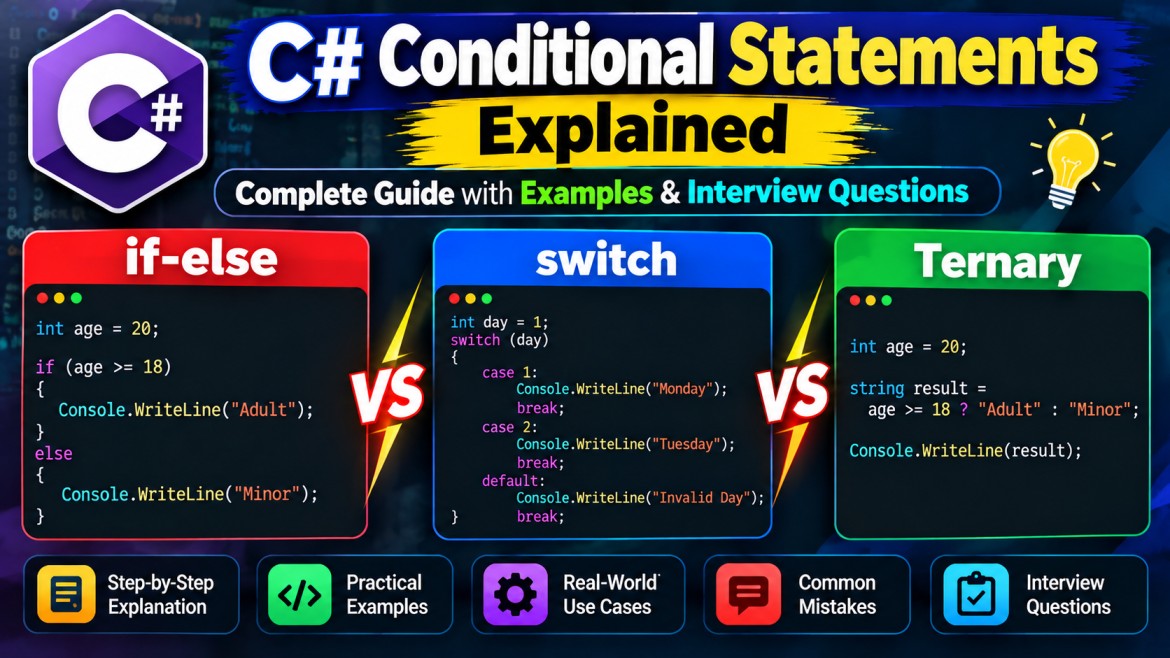


Conditional Statements in C# – Complete Guide with Examples
1. What Are Conditional Statements in C#?
Conditional statements in C# are decision-making constructs that control which block of code executes based on one or more conditions.
Normally, a C# program executes statements sequentially, from top to bottom. Conditional statements allow the program to change this execution flow depending on whether a condition evaluates to true or false.
Why Do We Need Conditional Statements?
In real-world applications, different actions must be performed depending on specific conditions.
Examples:
-
Banking Application: Allow withdrawals only when sufficient balance is available.
-
Login System: Grant access when the username and password are valid.
-
E-Commerce: Apply discounts based on purchase amounts.
-
Employee Management: Calculate bonuses based on performance.
-
Student Management: Assign grades based on examination marks.
How Conditional Statements Work
        Start
          |
          v
    Check Condition
          |
     +----+----+
     |         |
    TRUE      FALSE
     |         |
     v         v
 Execute    Execute
 Block A    Block B
     |         |
     +----+----+
          |
          v
       Continue
Types of Conditional Statements in C#
|
# |
Statement |
Description |
|---|---|---|
|
1 |
|
Executes code when a condition is true |
|
2 |
|
Executes one of two code blocks |
|
3 |
|
Evaluates multiple conditions |
|
4 |
Nested |
Checks conditions within other conditions |
|
5 |
|
Selects a matching case |
|
6 |
|
Returns a value using pattern matching |
|
7 |
Ternary Operator |
Compact conditional value selection |
2. if Statement in C#
What Is an if Statement?
The if statement is the simplest conditional statement in C#.
It evaluates a Boolean expression and executes the associated code block only when the condition is true.
If the condition is false, the block is skipped, and execution continues with the next statement.
Syntax
if (condition)
{
    // Executes when condition is true
}
Example 1: Voting Eligibility
int age = 25;

if (age >= 18)
{
    Console.WriteLine("You are eligible to vote.");
}

Console.WriteLine("Program completed.");
Output:
You are eligible to vote.
Program completed.
Explanation:
-
The variable
agecontains25. -
The condition
age >= 18is evaluated. -
Since 25 is greater than 18, the condition returns
true. -
The statement inside the
ifblock executes. -
Program execution continues after the block.
Example 2: Bank Withdrawal Validation
decimal balance = 10000;
decimal withdrawalAmount = 3000;

if (withdrawalAmount <= balance)
{
    balance -= withdrawalAmount;

    Console.WriteLine("Withdrawal successful.");
    Console.WriteLine($"Remaining Balance: {balance}");
}
Output:
Withdrawal successful.
Remaining Balance: 7000
Real-Time Usage: Banking applications validate the available balance before processing withdrawals. Production systems must also enforce this validation atomically to prevent concurrent overdrafts.
Important Points
-
An
ifcondition must return abool. -
Curly braces
{ }define the statements belonging to the condition. -
Multiple statements can be executed inside the block.
-
An
ifstatement does not require anelseblock. -
Braces are optional for a single statement, but using them is recommended.
3. if-else Statement in C#
What Is an if-else Statement?
The if-else statement is used when a program must choose between two alternative execution paths.
When the condition is true, the if block executes. Otherwise, the else block executes.
Only one of these blocks executes.
Syntax
if (condition)
{
    // Executes when true
}
else
{
    // Executes when false
}
Example 1: Even or Odd Number
int number = 15;

if (number % 2 == 0)
{
    Console.WriteLine("Even Number");
}
else
{
    Console.WriteLine("Odd Number");
}
Output:
Odd NumberExplanation:
The modulus operator % returns the remainder of a division.
-
If
number % 2 == 0, the number is even. -
Otherwise, the number is odd.
Here, 15 % 2 returns 1, so the else block executes.
Example 2: Login Authentication
string username = "admin";
string password = "12345";

if (username == "admin" && password == "12345")
{
    Console.WriteLine("Login Successful");
}
else
{
    Console.WriteLine("Invalid Credentials");
}
Output:
Login SuccessfulExplanation:
The && operator checks whether both conditions are true. If either condition is false, the else block executes.
This is a simplified learning example. Real applications must not store or compare passwords as hardcoded plaintext.
When Should We Use if-else?
Use if-else when there are exactly two alternatives, such as:
-
Pass or Fail
-
Active or Inactive
-
Eligible or Not Eligible
-
Valid or Invalid
4. else-if Ladder in C#
What Is an else-if Ladder?
An else-if ladder is used when a program needs to evaluate multiple conditions in a specific order.
Each condition is evaluated sequentially until a true condition is found.
Once a condition becomes true, its block executes and the remaining conditions are skipped.
Syntax
if (condition1)
{
    // First condition
}
else if (condition2)
{
    // Second condition
}
else if (condition3)
{
    // Third condition
}
else
{
    // Default block
}
Example 1: Student Grade Calculation
int marks = 82;

if (marks >= 90)
{
    Console.WriteLine("Grade A");
}
else if (marks >= 75)
{
    Console.WriteLine("Grade B");
}
else if (marks >= 60)
{
    Console.WriteLine("Grade C");
}
else if (marks >= 40)
{
    Console.WriteLine("Grade D");
}
else
{
    Console.WriteLine("Fail");
}
Output:
Grade BExplanation:
-
marks >= 90→ False -
marks >= 75→ True -
Grade B is displayed.
-
The remaining conditions are skipped.
Example 2: E-Commerce Discount Calculation
decimal purchaseAmount = 12000;
decimal discount;

if (purchaseAmount >= 20000)
{
    discount = 20;
}
else if (purchaseAmount >= 10000)
{
    discount = 15;
}
else if (purchaseAmount >= 5000)
{
    discount = 10;
}
else
{
    discount = 0;
}

decimal finalAmount =
    purchaseAmount - (purchaseAmount * discount / 100);

Console.WriteLine($"Discount: {discount}%");
Console.WriteLine($"Final Amount: {finalAmount}");
Output:
Discount: 15%
Final Amount: 10200
Why Is Condition Order Important?
Consider this incorrect implementation:
int marks = 95;

if (marks >= 40)
{
    Console.WriteLine("Pass");
}
else if (marks >= 90)
{
    Console.WriteLine("Excellent");
}
Output:
PassEven though the student scored 95, the second condition never executes because the first condition is already true.
Best Practice: Arrange overlapping conditions carefully, usually from the most restrictive to the least restrictive.
5. Nested if Statement in C#
What Is a Nested if Statement?
A nested if statement is an if statement placed inside another conditional statement.
It is useful when the second condition should be checked only after the first condition succeeds.
Syntax
if (condition1)
{
    if (condition2)
    {
        // Executes when both conditions are true
    }
}
Example 1: Driving Eligibility
int age = 22;
bool hasDrivingLicense = true;

if (age >= 18)
{
    if (hasDrivingLicense)
    {
        Console.WriteLine("You can drive.");
    }
    else
    {
        Console.WriteLine("Driving license required.");
    }
}
else
{
    Console.WriteLine("You are underage.");
}
Output:
You can drive.Example 2: ATM Withdrawal
bool isPinValid = true;
decimal balance = 15000;
decimal amount = 5000;

if (isPinValid)
{
    if (amount > 0)
    {
        if (amount <= balance)
        {
            Console.WriteLine("Withdrawal Successful");
        }
        else
        {
            Console.WriteLine("Insufficient Balance");
        }
    }
    else
    {
        Console.WriteLine("Invalid Amount");
    }
}
else
{
    Console.WriteLine("Invalid PIN");
}
Output:
Withdrawal SuccessfulAdvantages
-
Useful for dependent validations.
-
Allows detailed control over execution.
-
Helps represent hierarchical business rules.
Disadvantages
-
Too many nested conditions reduce readability.
-
Deep nesting makes maintenance and debugging difficult.
Best Practice: Use guard clauses and early returns inside methods to reduce unnecessary nesting.
6. switch Statement in C#
What Is a switch Statement?
The switch statement evaluates an expression and executes the code associated with a matching case.
It is especially useful when a variable can have several known values.
A traditional switch is often more readable than a long else-if ladder involving equality comparisons.
Syntax
switch (expression)
{
    case value1:
        // Code
        break;

    case value2:
        // Code
        break;

    default:
        // Default code
        break;
}
Example 1: Days of the Week
int day = 3;

switch (day)
{
    case 1:
        Console.WriteLine("Monday");
        break;

    case 2:
        Console.WriteLine("Tuesday");
        break;

    case 3:
        Console.WriteLine("Wednesday");
        break;

    case 4:
        Console.WriteLine("Thursday");
        break;

    default:
        Console.WriteLine("Invalid Day");
        break;
}
Output:
WednesdayExplanation
-
The expression
dayis evaluated. -
Its value is compared with the case labels.
-
case 3matches. -
The corresponding code executes.
-
breakexits the switch statement.
Example 2: Calculator Using switch
int a = 20;
int b = 10;
char operation = '+';

switch (operation)
{
    case '+':
        Console.WriteLine(a + b);
        break;

    case '-':
        Console.WriteLine(a - b);
        break;

    case '*':
        Console.WriteLine(a * b);
        break;

    case '/':
        Console.WriteLine(a / b);
        break;

    default:
        Console.WriteLine("Invalid Operation");
        break;
}
Output:
30Example 3: Multiple Cases with the Same Logic
int day = 6;

switch (day)
{
    case 6:
    case 7:
        Console.WriteLine("Weekend");
        break;

    default:
        Console.WriteLine("Weekday");
        break;
}
Output:
WeekendBoth case 6 and case 7 execute the same block.
Important Points
-
defaultexecutes when no case matches. -
breakexits the switch statement. -
returnandthrowcan also terminate a case. -
Multiple case labels can share the same code.
-
Modern C# supports type patterns, relational patterns, and
whenguards in switch statements. -
C# generally does not permit falling through from a non-empty case section into the next case section.
7. switch Expression in Modern C#
What Is a switch Expression?
A switch expression was introduced in C# 8.0.
Unlike the traditional switch statement, a switch expression is designed to produce a value based on pattern matching.
It reduces boilerplate code and is particularly useful for mapping values.
Syntax
var result = expression switch
{
    pattern1 => value1,
    pattern2 => value2,
    _ => defaultValue
};
Example 1: Employee Department
int departmentId = 2;

string department = departmentId switch
{
    1 => "HR",
    2 => "IT",
    3 => "Finance",
    4 => "Sales",
    _ => "Unknown"
};

Console.WriteLine(department);
Output:
ITExample 2: Grade Calculation Using Relational Patterns
int marks = 85;

string grade = marks switch
{
    >= 90 => "A",
    >= 75 => "B",
    >= 60 => "C",
    >= 40 => "D",
    _ => "Fail"
};

Console.WriteLine(grade);
Output:
BExample 3: Combining Conditions
int age = 25;
bool hasLicense = true;

string result = (age, hasLicense) switch
{
    (>= 18, true) => "Allowed to Drive",
    (>= 18, false) => "License Required",
    _ => "Underage"
};

Console.WriteLine(result);
Output:
Allowed to Driveswitch Statement vs switch Expression
|
Feature |
switch Statement |
switch Expression |
|---|---|---|
|
Purpose |
Execute statements |
Produce a value |
|
Syntax |
|
|
|
Code length |
Usually longer |
Usually shorter |
|
Default handling |
|
|
|
Pattern matching |
Supported |
Supported |
|
Best use |
Multiple actions |
Value mapping |
8. Ternary Operator (?:) in C#
What Is the Ternary Operator?
The ternary conditional operator (?:) evaluates a Boolean condition and selects one of two expressions.
It is commonly used as a shorter alternative to if-else when assigning or returning a value.
It is an operator, not a statement.
Syntax
condition ? expressionIfTrue : expressionIfFalse;Example 1: Find the Largest Number
int a = 50;
int b = 80;

int largest = a > b ? a : b;

Console.WriteLine(largest);
Output:
80Example 2: Employee Bonus Eligibility
int experience = 6;

string bonusStatus = experience >= 5
    ? "Eligible for Bonus"
    : "Not Eligible";

Console.WriteLine(bonusStatus);
Output:
Eligible for BonusExample 3: Nested Ternary Operator
int marks = 75;

string result = marks >= 90 ? "Excellent"
              : marks >= 60 ? "Good"
              : marks >= 40 ? "Pass"
              : "Fail";

Console.WriteLine(result);
Output:
GoodAlthough nested ternary expressions are supported, they can reduce readability.
Best Practice: Use a switch expression or else-if ladder when there are several conditions.
9. Logical Operators in Conditional Statements
Logical operators allow multiple Boolean conditions to be combined.
|
Operator |
Name |
Description |
|---|---|---|
|
|
Logical AND |
True when both conditions are true |
|
|
Logical OR |
True when at least one condition is true |
|
|
Logical NOT |
Reverses the Boolean result |
|
|
Boolean AND |
Evaluates both Boolean operands |
|
|
Boolean OR |
Evaluates both Boolean operands |
Example 1: AND Operator
int age = 25;
bool hasLicense = true;

if (age >= 18 && hasLicense)
{
    Console.WriteLine("Allowed to Drive");
}
Both conditions must be true.
Example 2: OR Operator
bool isAdmin = false;
bool isManager = true;

if (isAdmin || isManager)
{
    Console.WriteLine("Access Granted");
}
At least one condition must be true.
Example 3: NOT Operator
bool isBlocked = false;

if (!isBlocked)
{
    Console.WriteLine("User is Active");
}
The ! operator reverses false to true.
Short-Circuit Evaluation
The && and || operators support short-circuit evaluation.
string? name = null;

if (name != null && name.Length > 5)
{
    Console.WriteLine("Long Name");
}
Since name != null is false, the second condition is not evaluated.
This prevents a NullReferenceException.
10. Pattern Matching with if Statements
Modern C# supports pattern matching, which allows developers to check types, values, and object structures more concisely.
Example 1: Type Pattern
object value = "Hello C#";

if (value is string message)
{
    Console.WriteLine(message.ToUpper());
}
Output:
HELLO C#The is operator checks whether the object is a string and assigns it to message.
Example 2: Relational Pattern
int age = 25;

if (age is >= 18 and <= 60)
{
    Console.WriteLine("Working Age Group");
}
Output:
Working Age GroupExample 3: Property Pattern
var employee = new
{
    Name = "John",
    Salary = 60000
};

if (employee is { Salary: > 50000 })
{
    Console.WriteLine("High Salary Employee");
}
Output:
High Salary EmployeePattern matching can improve readability when working with complex objects and business rules.
11. Common Mistakes in C# Conditional Statements
Mistake 1: Using = Instead of ==
Incorrect:
int age = 20;

// if (age = 18) // Compilation error
Correct:
if (age == 18)
{
    Console.WriteLine("Age is 18");
}
= assigns a value, whereas == compares values.
Mistake 2: Missing Braces
int age = 15;

if (age >= 18)
    Console.WriteLine("Adult");

Console.WriteLine("Eligible");
Output:
EligibleOnly the first statement is controlled by if. The second statement always executes.
Mistake 3: Incorrect Condition Order
int salary = 80000;

if (salary > 30000)
{
    Console.WriteLine("Medium Salary");
}
else if (salary > 70000)
{
    Console.WriteLine("High Salary");
}
Output:
Medium SalaryThe first matching condition prevents subsequent conditions from executing.
Mistake 4: Comparing Strings Incorrectly
string role = "ADMIN";

if (role == "admin")
{
    Console.WriteLine("Administrator");
}
By default, this comparison is case-sensitive and the condition is false.
For case-insensitive ordinal comparison:
if (string.Equals(
    role,
    "admin",
    StringComparison.OrdinalIgnoreCase))
{
    Console.WriteLine("Administrator");
}
12. Real-World Example: Employee Salary Bonus Calculation
This example combines multiple conditional statements to implement a business rule.
Business Requirements:
-
Employees with 10 or more years of experience receive a 20% bonus.
-
Employees with 5–9 years receive a 10% bonus.
-
Employees with less than 5 years receive a 5% bonus.
-
Inactive employees do not receive a bonus.
C# Program
string employeeName = "John";
decimal salary = 50000;
int experience = 8;
bool isActive = true;

decimal bonusPercentage = 0;

if (isActive)
{
    if (experience >= 10)
    {
        bonusPercentage = 20;
    }
    else if (experience >= 5)
    {
        bonusPercentage = 10;
    }
    else
    {
        bonusPercentage = 5;
    }
}
else
{
    Console.WriteLine("Inactive Employee");
}

decimal bonusAmount =
    salary * bonusPercentage / 100;

decimal totalSalary = salary + bonusAmount;

Console.WriteLine($"Employee: {employeeName}");
Console.WriteLine($"Basic Salary: {salary}");
Console.WriteLine($"Bonus: {bonusAmount}");
Console.WriteLine($"Total Salary: {totalSalary}");
Output:
Employee: John
Basic Salary: 50000
Bonus: 5000
Total Salary: 55000
Explanation
-
First, the program checks whether the employee is active.
-
If active, it checks the employee's experience.
-
Since the employee has 8 years of experience, the 10% bonus rule applies.
-
The bonus amount is calculated as 5,000.
-
The final salary becomes 55,000.
This demonstrates how nested if, else-if, and else statements work together to implement business logic.
13. Important C# Conditional Statement Interview Questions
Q1. What is the difference between if and switch?
if evaluates Boolean conditions and is suitable for complex expressions involving comparisons and logical operators.
switch selects a matching case based on an expression and is often more readable when handling multiple known values or patterns.
Q2. Can we use multiple else-if statements?
Yes. C# allows multiple else-if branches.
They are evaluated sequentially, and only the first matching branch executes.
Q3. Is the else block mandatory?
No. The else block is optional.
An if statement can be used independently.
Q4. What happens if all conditions are false?
If an else block exists, it executes.
Otherwise, the entire conditional structure is skipped.
Q5. What is the difference between && and & in Boolean conditions?
&& performs short-circuit evaluation. If the first condition is false, the second condition is not evaluated.
& evaluates both Boolean operands, regardless of the first result.
Q6. What is the difference between || and |?
|| skips evaluating the second operand when the first is true.
| evaluates both Boolean operands.