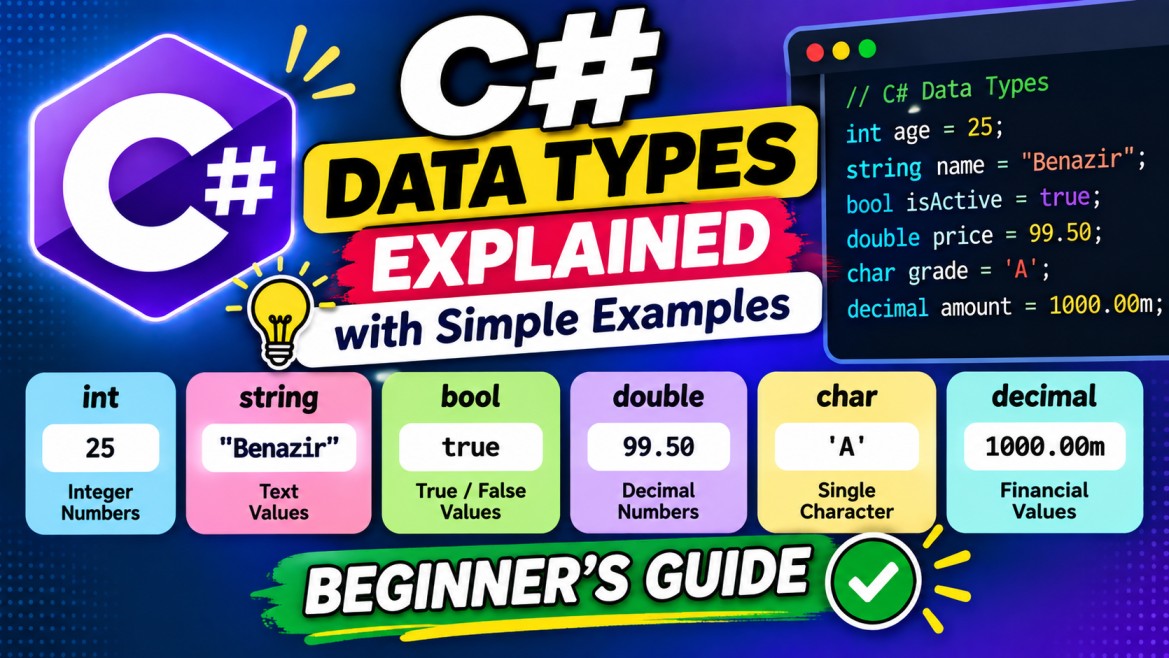


Data Types in C#
A data type specifies what kind of value a variable can store, how much memory is generally associated with that value, what operations are valid, and how the value behaves.
For example:
string name = "Benazir";
int age = 25;
double salary = 45000.50;
bool isActive = true;
char grade = 'A';
Here:
| Variable | Value | Data Type |
|---|---|---|
name |
"Benazir" |
string |
age |
25 |
int |
salary |
45000.50 |
double |
isActive |
true |
bool |
grade |
'A' |
char |
1. Why Do We Need Data Types?
Consider:
int age = 25;C# understands that age should contain an integer.
Therefore this is valid:
age = 30;But this is invalid:
age = "Benazir"; // Compile-time errorBecause "Benazir" is a string, not an int.
Data types provide type safety.
2. Main Categories of C# Data Types
C# types are broadly divided into:
C# Data Types
│
├── Value Types
│   ├── Integral Types
│   ├── Floating-Point Types
│   ├── decimal
│   ├── bool
│   ├── char
│   ├── enum
│   └── struct
│
└── Reference Types
    ├── class
    ├── string
    ├── array
    ├── interface
    ├── delegate
    └── object
There are also important related concepts:
- Nullable value types
vardynamicobject
3. Value Types
A value type variable contains its value directly.
Example:
int age = 25;Conceptually:
age
┌──────┐
│  25  │
└──────┘
Common value types include:
int
long
short
byte
float
double
decimal
bool
char
enum
struct
4. Integral Data Types
Integral types store whole numbers without decimal points.
Examples:
10
25
-100
50000
The main integral types are:
| C# Type | Size | Range / Purpose |
|---|---|---|
byte |
8-bit | 0 to 255 |
sbyte |
8-bit | -128 to 127 |
short |
16-bit | -32,768 to 32,767 |
ushort |
16-bit | 0 to 65,535 |
int |
32-bit | about -2.1B to +2.1B |
uint |
32-bit | 0 to about 4.29B |
long |
64-bit | very large integers |
ulong |
64-bit | very large positive integers |
5. int
int is the most commonly used integer type.
int age = 25;
int quantity = 100;
int temperature = -10;
It is a 32-bit signed integer.
Minimum: -2,147,483,648
Maximum:  2,147,483,647
Example:
int firstNumber = 10;
int secondNumber = 20;

int total = firstNumber + secondNumber;

Console.WriteLine(total);
Output:
306. long
Use long when int isn't large enough.
long population = 8_000_000_000L;The L suffix indicates a long literal.
long number = 5000000000L;This is useful for very large whole numbers.
7. byte
byte stores values from:
0 to 255Example:
byte age = 25;Common technical uses include raw binary data:
byte[] fileData;8. Signed vs Unsigned
A signed integer can contain negative and positive numbers.
int temperature = -10;An unsigned integer doesn't allow negative values.
uint count = 100;This is invalid:
uint count = -100; // ErrorCommon pairs include:
sbyte  ↔ byte
short  ↔ ushort
int    ↔ uint
long   ↔ ulong
For general application programming, signed types such as int and long are much more commonly used.
9. Floating-Point Types
For numbers containing fractional/decimal portions, C# provides:
float
double
decimal
For example:
10.5
25.75
50000.50
But these three types have different precision characteristics and use cases.
10. float
float is a 32-bit floating-point type.
float temperature = 36.5F;The F suffix is required for a floating-point literal intended as float:
float value = 10.5F;Commonly used where lower precision is acceptable, such as some graphics and scientific workloads.
11. double
double is a 64-bit floating-point type.
double percentage = 95.75;Unlike float, you normally don't need a suffix:
double value = 10.5;That's because a floating-point literal such as:
10.5is double by default.
12. decimal
decimal is a high-precision decimal type commonly used for financial and monetary calculations.
decimal salary = 50000.50M;The M suffix indicates a decimal literal.
decimal price = 199.99M;For example:
decimal price = 100.50M;
decimal tax = 18.09M;

decimal total = price + tax;

Console.WriteLine(total);
13. float vs double vs decimal
| Type | Size | Approx. Precision | Common Usage |
|---|---|---|---|
float |
32-bit | ~6–9 digits | Graphics, lower-precision calculations |
double |
64-bit | ~15–17 digits | General floating-point/scientific calculations |
decimal |
128-bit | ~28–29 digits | Financial/monetary calculations |
Important:
decimalisn't simply a "more accurate double." It uses a decimal representation designed for high-precision base-10 calculations, making it particularly suitable for money.
For banking applications:
decimal accountBalance = 250000.75M;is normally preferable to:
double accountBalance = 250000.75;14. char
char stores a single UTF-16 code unit.
char grade = 'A';Notice the single quotes:
'A'Example:
char initial = 'B';

Console.WriteLine(initial);
Output:
BThis is incorrect:
char initial = "B"; // Errorbecause "B" is a string.
15. bool
bool represents a Boolean value:
true
false
Example:
bool isActive = true;
bool isDeleted = false;
It's heavily used in conditions:
bool isActive = true;

if (isActive)
{
    Console.WriteLine("User is active");
}
16. Reference Types
A reference type variable holds a reference to an object, rather than containing the entire object's data directly in the same conceptual sense as a value-type variable.
Common reference types:
class
string
array
interface
delegate
object
For example:
string name = "Benazir";string is a reference type.
17. string
A string represents a sequence of characters.
string name = "Benazir";Unlike char, strings use double quotes.
string city = "Erode";
string message = "Welcome to C#";
Compare:
char initial = 'B';
string name = "Benazir";| Type | Example |
|---|---|
char |
'B' |
string |
"Benazir" |
18. Arrays
Arrays are reference types that store multiple values of the same element type.
int[] numbers = { 10, 20, 30 };Or:
string[] names =
{
    "Benazir",
    "John",
    "David"
};
Access an element:
Console.WriteLine(names[0]);Output:
BenazirArray indexes start from 0.
19. Classes
A class is a reference type used to create custom objects.
public class Employee
{
    public string Name { get; set; } = "";
    public int Age { get; set; }
}
Create an object:
Employee employee = new Employee();

employee.Name = "Benazir";
employee.Age = 25;
Here:
Employee → class/reference type
employee → variable containing a reference to an Employee object
20. object
object is the ultimate base type in the C# type system.
You can assign values of many types to an object variable:
object value1 = 100;
object value2 = "Benazir";
object value3 = true;
For example:
object value = "Benazir";

Console.WriteLine(value);
However, because the variable's compile-time type is object, you may need casting to perform operations specific to the underlying type.
object value = "Benazir";

string name = (string)value;
21. Value Type Assignment
Consider:
int a = 10;
int b = a;

b = 20;
What happens?
a = 10
b = 20
Changing b doesn't change a.
Conceptually:
int a = 10;

a
┌────┐
│ 10 │
└────┘

int b = a;

a          b
┌────┐    ┌────┐
│ 10 │    │ 10 │
└────┘    └────┘
The value was copied.
After:
b = 20;a b
┌────┐ ┌────┐
│ 10 │ │ 20 │
└────┘ └────┘22. Reference Type Assignment
Consider a class:
class Person
{
    public string Name { get; set; } = "";
}
Then:
Person person1 = new Person();
person1.Name = "Benazir";

Person person2 = person1;

person2.Name = "Aisha";

Console.WriteLine(person1.Name);
Output:
AishaWhy?
Both variables refer to the same object.
Conceptually:
person1 ──────┐
              ↓
          ┌──────────┐
          │ Person   │
          │ Name     │
          └──────────┘
              ↑
person2 ──────┘
Therefore:
person2.Name = "Aisha";changes the same object visible through person1.
23. Value Type vs Reference Type
| Value Type | Reference Type |
|---|---|
| Variable contains its value | Variable contains a reference |
| Assignment copies value | Assignment copies reference |
| Independent after copying | May refer to same object |
Examples: int, bool, char, structs |
Examples: class, array, string |
A common oversimplification is:
Value types are stored on stack and reference types are stored on heap.
Avoid using that as the definition. Actual storage depends on context. The fundamental difference is value semantics versus reference semantics.
24. Nullable Value Types
Normally:
int age = null; // Errorbecause int is a non-nullable value type.
You can make it nullable:
int? age = null;? means the value can contain either:
an integer
OR
null
For example:
int? age = null;

if (age.HasValue)
{
    Console.WriteLine(age.Value);
}
else
{
    Console.WriteLine("Age not available");
}
Nullable value types are extremely common when working with databases.
For example:
DateTime? dateOfLeaving = null;25. Nullable Reference Types
Modern C# also supports nullable-reference-type annotations.
string name = "Benazir";
string? middleName = null;
Here:
stringindicates the variable isn't intended to contain null, while:
string?indicates null is allowed.
This feature primarily provides compile-time nullability analysis and warnings.
26. var
var allows the compiler to infer the variable's type.
Instead of:
string name = "Benazir";you can write:
var name = "Benazir";The compiler determines:
name → stringSimilarly:
var age = 25;
var salary = 50000.50;
var isActive = true;
The compiler determines:
age      → int
salary   → double
isActive → bool
Important:
vardoes not mean the variable has no type or can freely change type.
This is invalid:
var age = 25;

age = "Benazir"; // Error
age was inferred as int.
27. dynamic
dynamic behaves differently.
dynamic value = 100;

value = "Benazir";

value = true;
This is allowed.
With dynamic, many type checks and member resolution operations are deferred until runtime.
For example:
dynamic name = "Benazir";

Console.WriteLine(name.Length);
This works.
But:
dynamic number = 100;

Console.WriteLine(number.Length);
can fail at runtime because int doesn't have a Length property.
28. var vs dynamic
var |
dynamic |
|---|---|
| Type inferred at compile time | Operations resolved at runtime |
| Strongly typed | Bypasses many compile-time member checks |
| Cannot arbitrarily change underlying variable type | Can hold values of different types over time |
| Compile-time errors catch many mistakes | Some errors appear only at runtime |
Example:
var x = 10;
// x = "Benazir";     // Error

dynamic y = 10;
y = "Benazir";        // Valid
29. Built-in C# Type Aliases
C# keywords map to .NET types.
For example:
| C# Keyword | .NET Type |
|---|---|
byte |
System.Byte |
short |
System.Int16 |
int |
System.Int32 |
long |
System.Int64 |
float |
System.Single |
double |
System.Double |
decimal |
System.Decimal |
bool |
System.Boolean |
char |
System.Char |
string |
System.String |
object |
System.Object |
Therefore:
int age = 25;and:
System.Int32 age = 25;represent the same underlying type.
30. Type Conversion
Sometimes we need to convert one data type into another.
There are two important categories:
Type Conversion
│
├── Implicit Conversion
│
└── Explicit Conversion
Implicit Conversion
Performed automatically when the conversion is defined as safe.
int number = 100;

long bigNumber = number;
Conceptually:
int
 ↓
long
No cast is required.
Explicit Conversion
A cast is required when conversion may lose information.
double price = 100.75;

int value = (int)price;
Result:
100The fractional portion is lost.
31. Parsing Strings
User input commonly arrives as a string.
string input = "25";Convert it to int:
int age = int.Parse(input);Or:
int age = Convert.ToInt32(input);For external/user input, TryParse() is usually safer:
if (int.TryParse(input, out int age))
{
    Console.WriteLine(age);
}
32. Quick Summary
C# Data Types
│
├── Value Types
│   │
│   ├── Integral
│   │   ├── byte / sbyte
│   │   ├── short / ushort
│   │   ├── int / uint
│   │   └── long / ulong
│   │
│   ├── Floating / Numeric
│   │   ├── float
│   │   ├── double
│   │   └── decimal
│   │
│   ├── char
│   ├── bool
│   ├── enum
│   └── struct
│
└── Reference Types
    │
    ├── string
    ├── class
    ├── array
    ├── interface
    ├── delegate
    └── object
33. Most Important Interview Points
1. What is a data type?
A data type defines what kind of value a variable can hold and what operations are valid for that value.
2. What are the two major categories?
Value Types
Reference Types
3. What is the difference?
Value-type assignment copies the value. Reference-type assignment normally copies a reference to the same object.
4. Difference between float, double, and decimal?
They differ in representation, precision, range, and intended usage. decimal is generally preferred for financial calculations.
5. Difference between var and dynamic?var is statically typed and inferred at compile time. dynamic defers many operations/type checks until runtime.
6. Is string a value type?
No. string is a reference type, although it is immutable and has some value-like behaviors.
7. What is int??
int? age = null;It is shorthand for:
Nullable<int>and allows an int value or null.
Easy examples to remember
int age = 25;                    // Whole number
double percentage = 95.5;       // Floating-point
decimal salary = 50000.50M;      // Money/high-precision decimal
char initial = 'B';              // Character
bool isActive = true;            // True/False
string name = "Benazir";         // Text
int? optionalAge = null;          // Nullable value type
These types—especially int, long, double, decimal, bool, char, string, object, nullable types, var, and dynamic, plus the distinction between value types and reference types—are the key areas to understand for C# interviews.